
How to Back Up Your Entire Etsy Shop: Listings, Photos and Videos
A practical Etsy shop backup plan for listing information, product photos and listing videos.
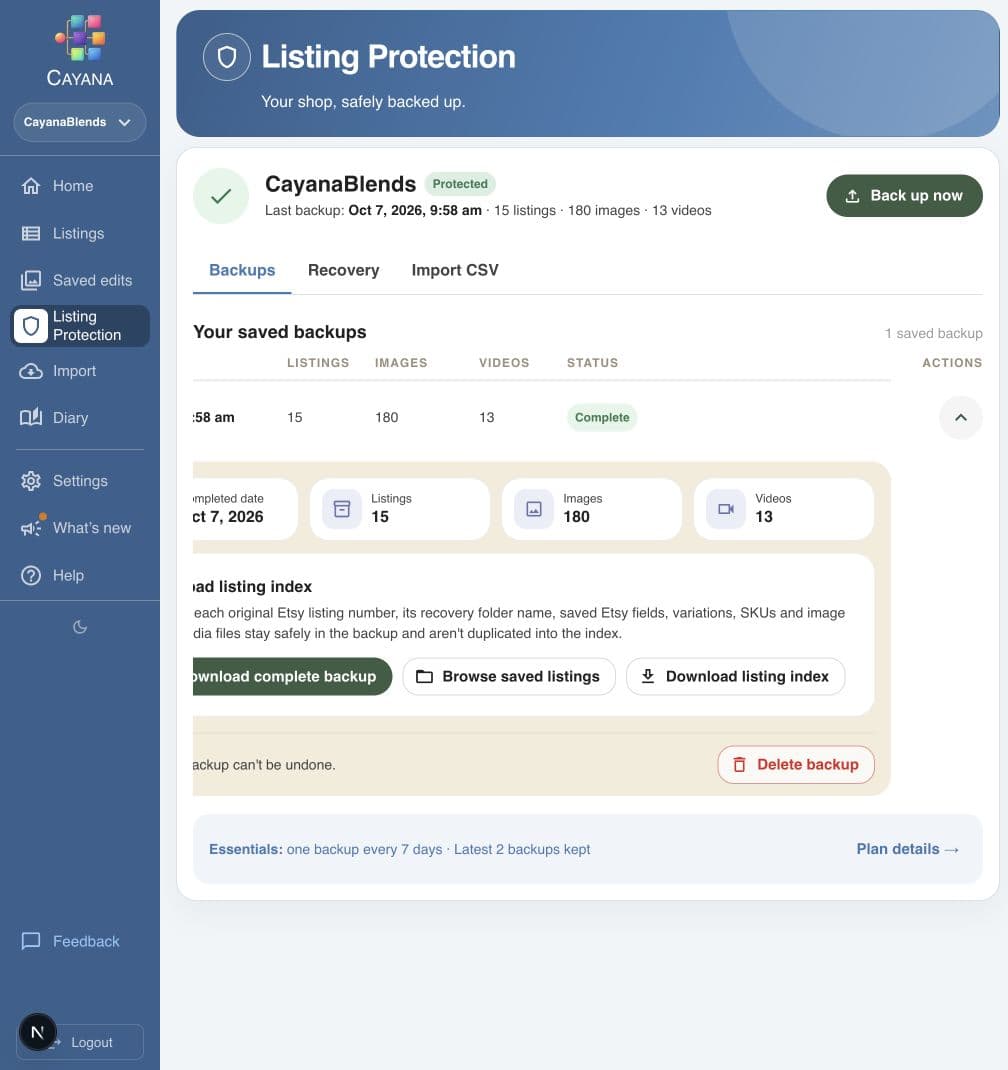
To back up your Etsy shop properly, save your listing information and the actual photos and videos used by those listings. Etsy’s listing CSV is useful, but it contains image URLs rather than the image files themselves.
A spreadsheet may tell you what used to be there, but recovery is much easier when you also have the media and a dated version of each listing. This guide explains what to download from Etsy and how Cayana Listing Protection can create a recoverable copy of your listing catalogue.
What does a complete Etsy listing backup include?
In this guide, “entire shop” means your complete Etsy listing catalogue: the imported listing information and the available media attached to it.
| Layer | What to save | Why it matters |
|---|---|---|
| Listing information | Titles, descriptions, prices, quantities, tags, materials, SKUs and variations | Helps reconstruct or compare a listing |
| Listing media | The actual image and video files, in their correct order | URLs and thumbnails are not a durable copy of the files |
A useful backup needs both layers.
What Etsy’s listing CSV includes
Etsy provides an official listing download from Shop Manager → Settings → Options → Download Data. According to Etsy’s listing-download documentation, the CSV for active listings includes:
- Title
- Description
- Price and currency
- Quantity
- Tags and materials
- Image URLs
- SKU numbers, when present
You can open the file in Excel, Numbers or Google Sheets and keep dated copies.
Why a listing CSV is not a complete media backup
An image URL is an address, not an image file. It may stop working, and rebuilding a listing still requires the underlying media. The CSV also does not give you a self-contained folder of listing videos and photos that you can inspect offline.
Keep your original photography and videos even while they are available on Etsy. Use understandable filenames, and avoid leaving the only copy on a phone, an old computer or a temporary cloud link.
CSV export compared with a Cayana backup
A CSV export is a useful spreadsheet snapshot, but it provides no recovery workflow. Only a completed Cayana Studios backup lets you revert supported details on an existing listing or easily recover all supported saved data and media from a deleted listing as a new Etsy draft.
| What is protected? | Standard Etsy CSV | Cayana Studios backup |
|---|---|---|
| Listing information | –Selected listing fields in a spreadsheet | ✓A dated snapshot of the imported listing data |
| Revert a changed listing | –No recovery action — details must be copied back manually | ✓Yes — restore supported saved details selectively from the backup |
| Recover a deleted listing | –No recovery workflow and no saved media files | ✓Easy recovery of all supported saved data and media as a new Etsy draft |
| See what changed | –Requires a manual spreadsheet comparison | ✓Compare the current listing with its saved version |
| Actual image files | –No — image URLs only | ✓Yes — downloaded and verified independently |
| Actual video files | –No | ✓Yes — when available and successfully verified |
| Portable copy | –A single CSV file | ✓Listing index, media manifest and organised ZIP files |
A manual Etsy shop backup checklist
You can create a useful manual backup without specialist software. Use one shop folder with a dated subfolder for each snapshot.
1. Download the current listing CSV
Export the currently for-sale listings and keep the original file unchanged. Give it a dated name, such as etsy-listings-2026-10-23.csv.
2. Save the actual listing media
Store full-resolution photos and videos in one folder per product or listing. Preserve the originals before applying crops, text overlays or seasonal graphics.
3. Match each file to its listing
Use the Etsy listing number or SKU in each folder name so you can reconnect the saved files with the correct listing later.
4. Keep a copy somewhere else
A backup on the same computer as the originals can disappear in the same hardware failure. Keep another copy on a separate device or reputable cloud service.
5. Test the backup
Open the CSV, inspect several product folders and play a sample video. A backup with incomplete or unreadable files is not a useful safety net.
How Cayana backs up Etsy listings, photos and videos
Manual backups work, but matching every listing with its media takes time. Cayana Listing Protection creates a dated snapshot of imported listing data and independently downloads the available images and videos.
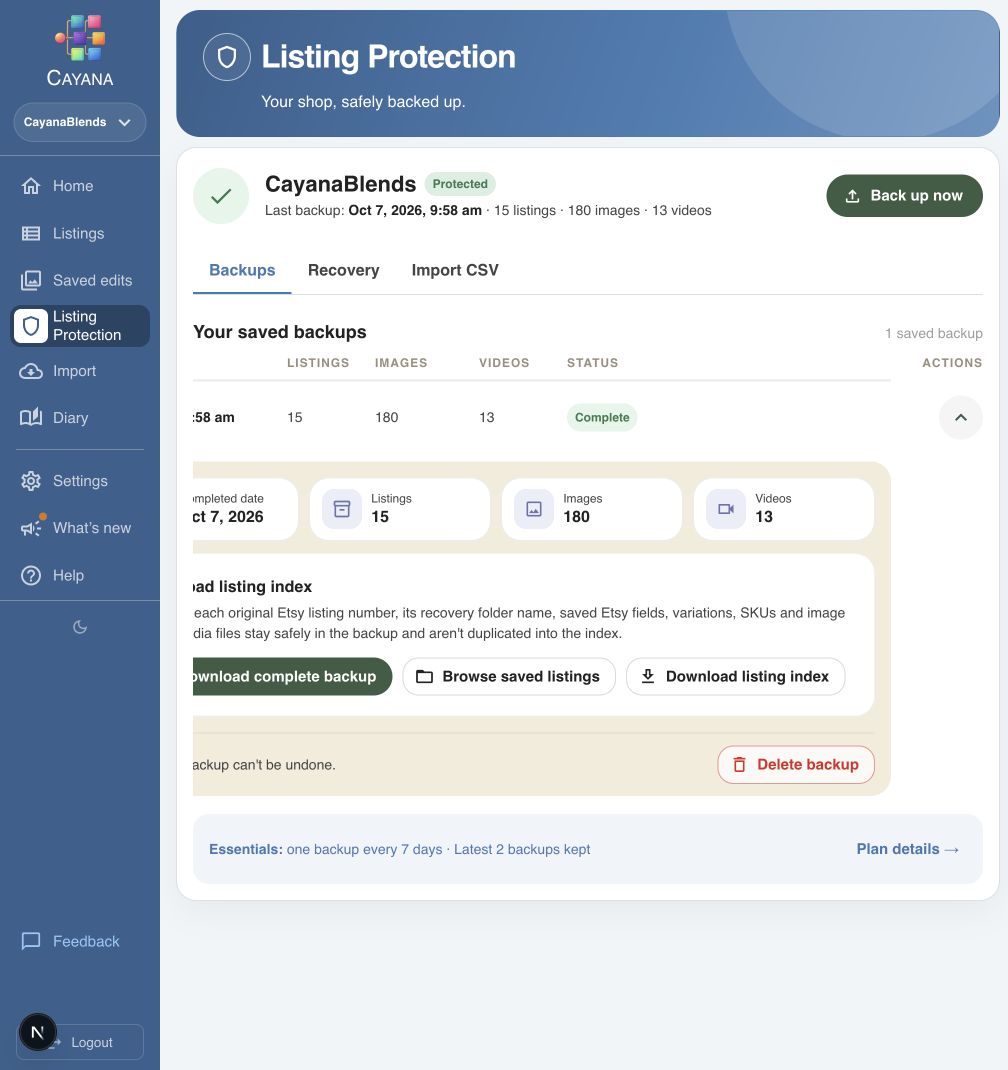
The important word is completed. Cayana verifies the backup work and shows separate listing, image and video totals. If a backup is still running, incomplete or has failed, do not treat the shop as protected yet.
A completed backup lets you:
- Compare a current listing with its saved version.
- Find changed information or an image removed after the backup.
- Restore supported saved details or upload a retained image.
- Identify a listing that is no longer present on Etsy and recreate supported information as a new draft.
- Download a portable export containing listing records, a media manifest, and the saved image and video files.
The export can be retained outside Cayana. Large exports are divided into manageable ZIP parts while keeping each listing’s files together.
Take a backup before a risky change
Create a backup before:
- A shop-wide title, description or tag update
- A seasonal image replacement
- A large price or variation change
- Removing older photos or videos or giving someone else access
Wait for completion, confirm the counts and then make the change. Test a large edit on a small group first; recovery does not replace reviewing what will be published.
For a repeatable editing process, read how to bulk edit Etsy listings safely.
Restoring a changed listing is different from recreating a deleted one
If a listing still exists, Cayana can compare it with a completed backup and restore supported saved details selectively.
If the original has been deleted, Cayana can help recreate supported data as a new Etsy draft. Etsy gives it a new listing number and URL, and the old favourites and sales history do not transfer. Check the draft before publishing; variations, inventory and media can have platform-specific constraints.
See the illustrated guide to restoring Etsy listing titles and images from a backup for the existing-listing workflow.
How often should you back up an Etsy shop?
The right frequency depends on how much work you would be willing to repeat. A practical minimum is:
- Keep a regular baseline backup.
- Create a fresh backup immediately before a large or unusual edit.
- Keep original media separately and periodically download a portable copy.
If losing a week of listing changes would be painful, a monthly backup is not frequent enough.
Frequently asked questions
Does Etsy’s listing CSV contain my photos?
It contains image URLs, according to Etsy’s documentation. It does not place the underlying image files inside the CSV. Keep the original files separately or use a backup that independently retains them.
Does Cayana retain listing videos?
Yes. Cayana independently downloads and verifies available listing videos as part of a completed backup.
Can I recover a photo that I removed from Etsy?
Only if another copy exists in your original files, an earlier completed Cayana backup or another archive. A later backup cannot recover something it never contained.
Can a deleted listing return with the same URL and sales history?
No. A recreated listing is a new Etsy draft with a new listing number and URL. Favourites and sales history from the deleted listing cannot be transferred to it.
Protect the work behind your listings
Your Etsy catalogue represents product decisions, photographs, videos, descriptions and many hours of maintenance. A good backup gives you a practical route back when something changes unexpectedly.
Create your first complete listing backup with Cayana. You can connect your shop, review its listing health and create a backup of the imported listings and available media during the 30-day trial. No payment card is required.
Related articles
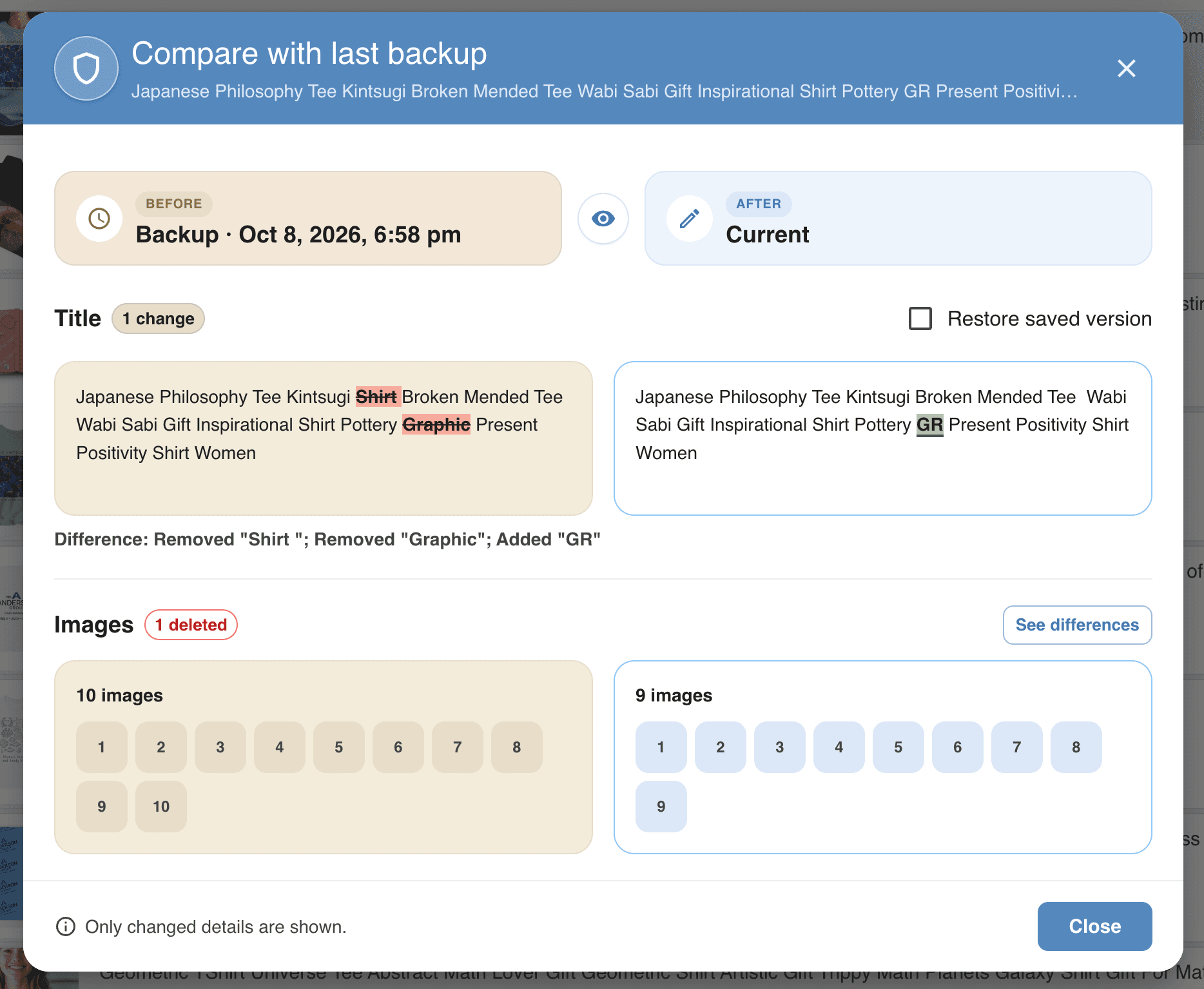
How to Restore Etsy Listing Titles and Images from a Backup
Changed a listing title or removed a photo? See how Cayana Listing Protection helps you compare your listing with a saved backup and restore selected details.
Read article
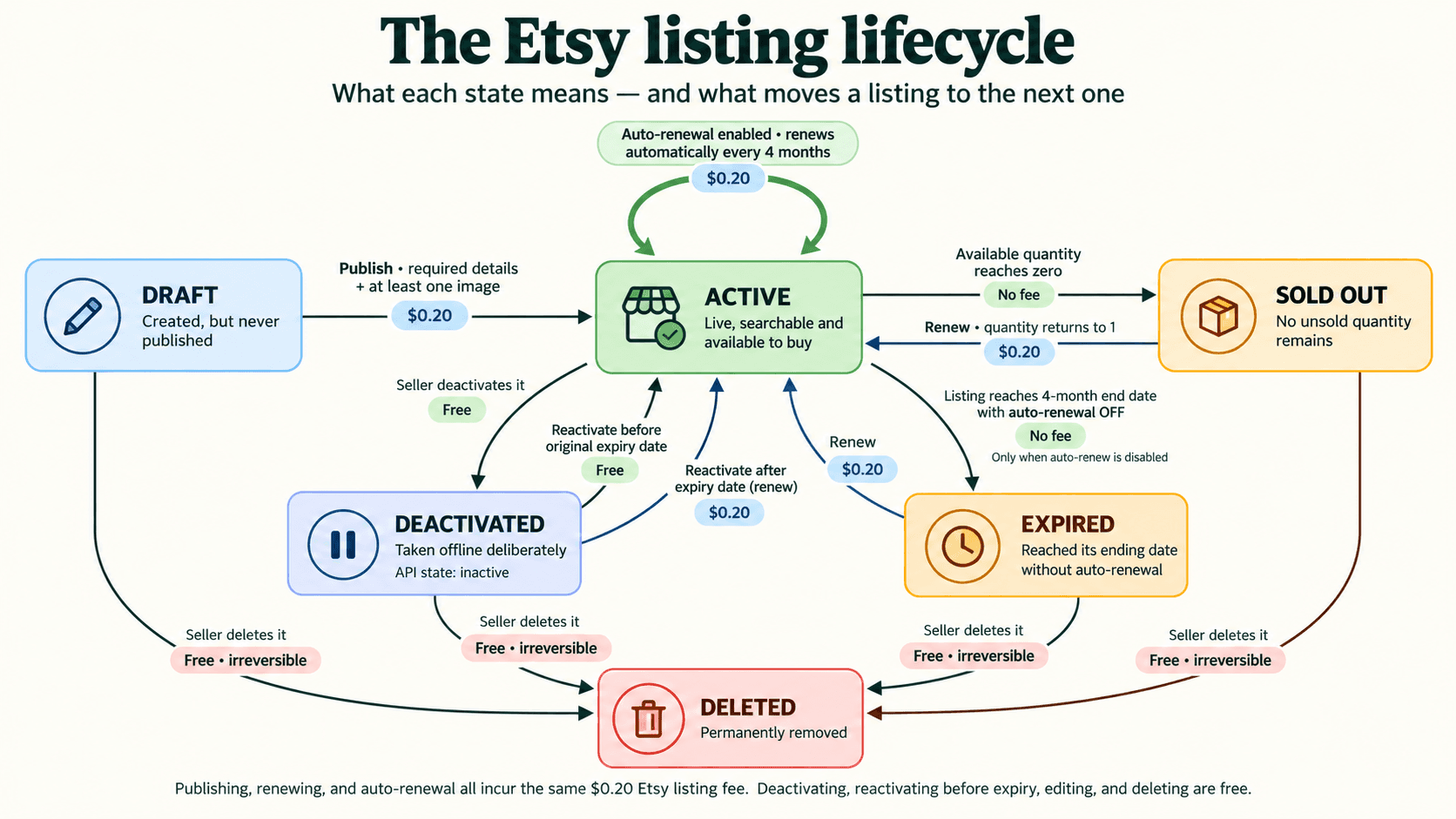
Etsy Listing States Explained: From Draft to Deleted
Ever wondered what each Etsy listing state means—or how a listing moves from one to another? Here is the quick version.
Read article
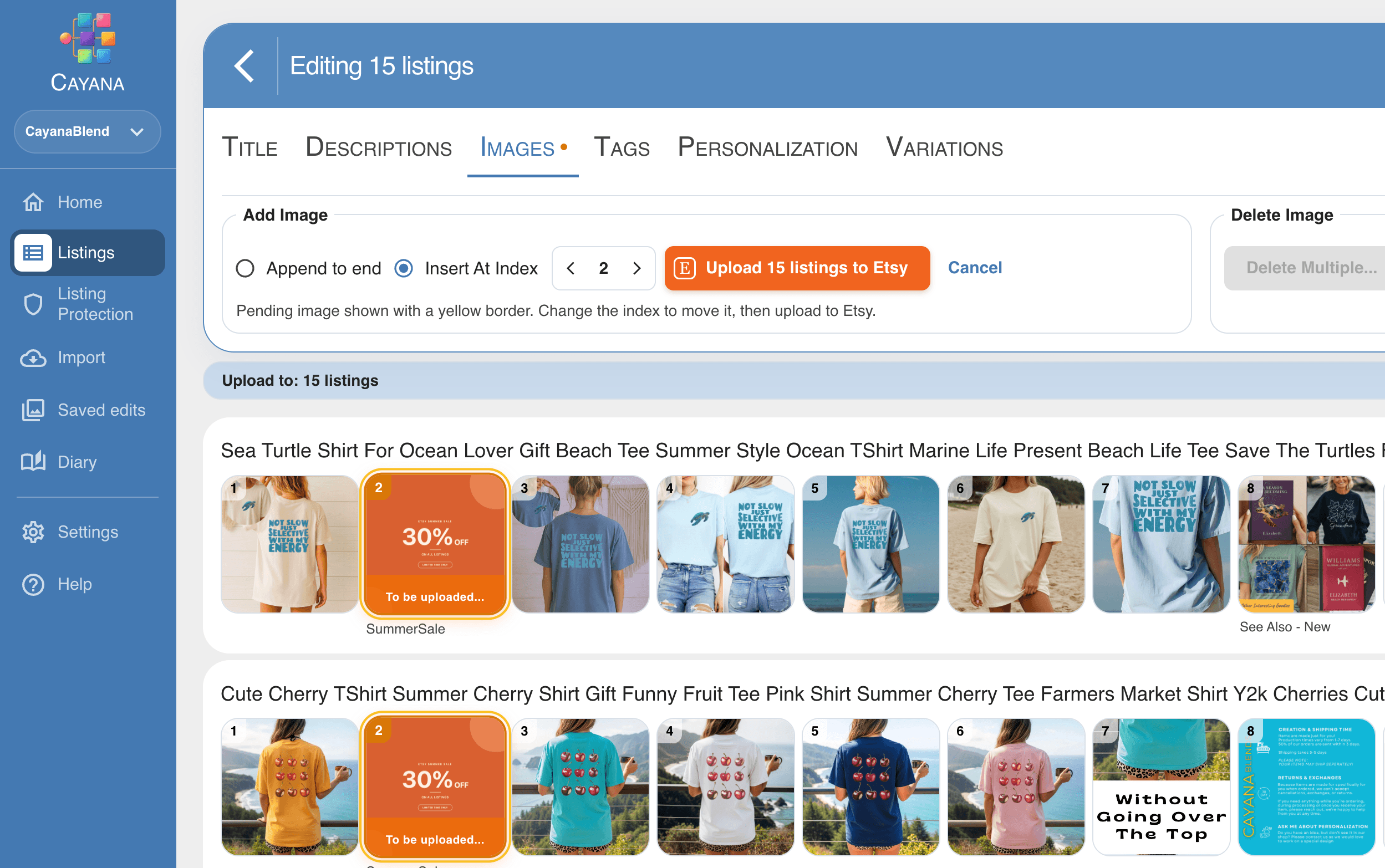
How to Bulk Edit Etsy Listings Safely: A Practical Guide
A calm, repeatable way to update many Etsy listings while protecting the details that make each one work.
Read article