
Trying an Etsy Listing Tool Before You Subscribe
Looking for a Vela alternative you can try free? Here’s where I’d start with Cayana—and why I’d try it on five listings before anything else.
When you’re running a small Etsy shop, another monthly subscription needs to earn its place. Sometimes you just want to tidy a few titles, change some tags or put the same size chart on several listings. It shouldn’t have to be a big decision.
If that’s why you’ve been looking for a free alternative to Vela, take a look at Cayana. I’d like to explain what it offers, but also how I’d suggest trying it. A feature list can only tell you so much.
Cayana Essentials has a 30-day free trial for each Etsy shop. No payment card is needed. That gives you time to try it on your own listings before deciding whether to subscribe.
What the trial includes
Essentials is designed for up to 2,500 active listings per shop. Draft, inactive, expired and sold-out listings don’t count. If your shop is larger, contact Cayana—there is no automatic lockout.
You can connect as many shops as you like, including shops you manage for someone else. Each Etsy shop gets one trial; reconnecting, restoring or transferring control does not restart it.
After the trial, Essentials is $5.50 per shop/month at the founding price. Subscribe by 31 January 2027 to keep that price for your first 24 paid months. Standard pricing after the founding offer will be announced later. Without a subscription, your data is kept and listings remain read-only, with billing and account settings available.
Start with a job you’ve been putting off
My suggestion is to start with five listings. Pick something useful and fairly simple: the tags on an older collection, a care guide that needs adding to several products, or a handful of titles you’ve been meaning to tidy.
Connect your Etsy shop and import the listings into Cayana. Connecting on its own doesn’t publish changes to Etsy. It brings your catalogue into the workspace so you can look around and choose what to work on.
Then search or filter for the products you need. I’d be quite deliberate about that first selection. Five related products are easier to check than fifty listings that happen to contain the same word.
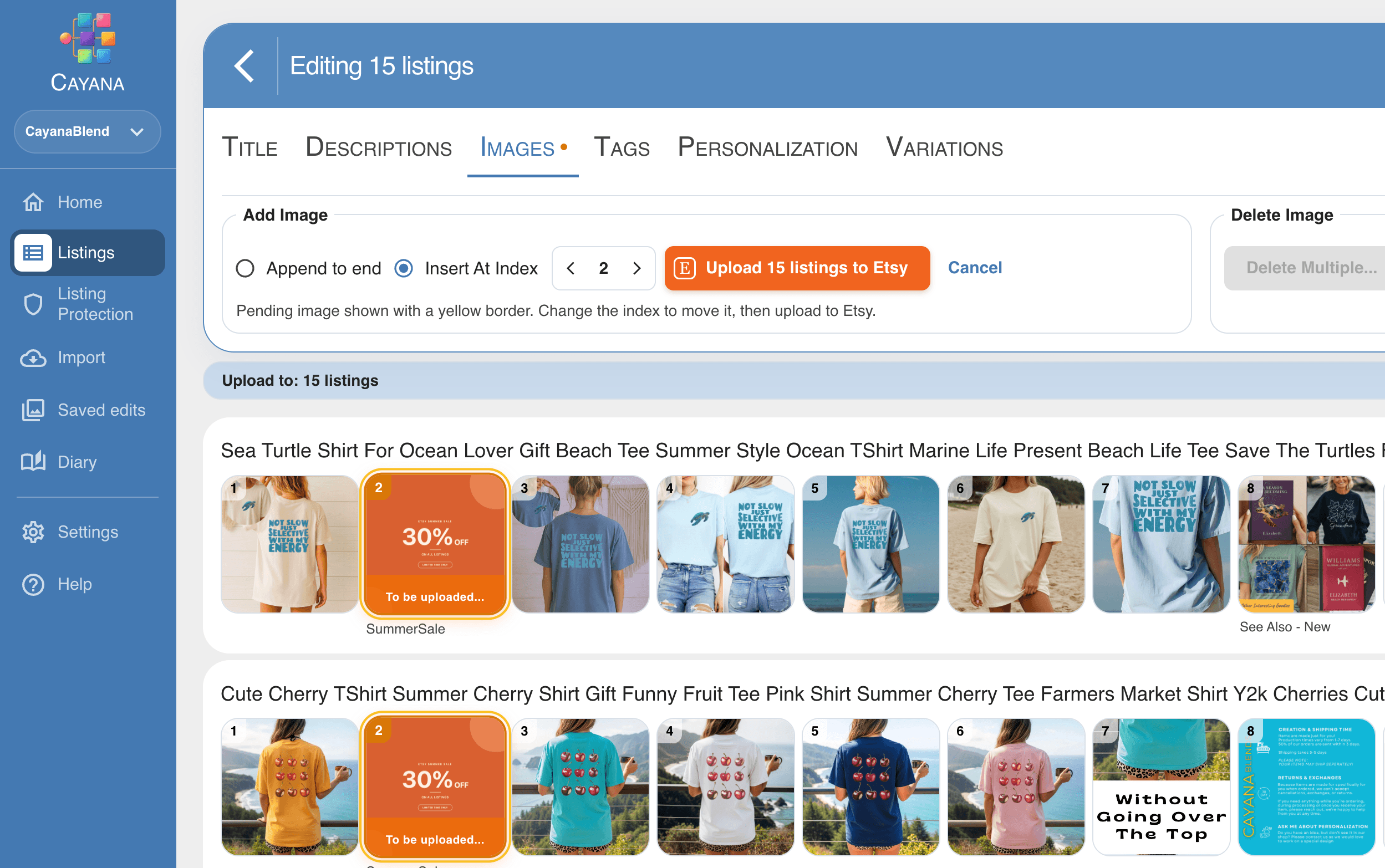
Cayana puts the products together in a visual workspace. You can see what you’re editing without continually opening and closing individual listing pages. That’s particularly helpful when two products have similar names but need slightly different treatment.
The everyday changes add up
There are plenty of small jobs involved in keeping a shop tidy. A collection needs a new tag. A few prices need adjusting. Products belong in a different section. An old photo needs replacing wherever you’ve used it.
Cayana supports individual and bulk work on listing details and media, including titles, descriptions, tags, prices, quantities, SKUs, photos, image alt text and videos. You can make a focused change across a group, then deal with the exceptions individually.
For me, the useful question is whether you can finish one of those ordinary jobs with less fuss. You don’t need to use every feature to get something out of it. If adding a care image to a collection is what takes up your afternoon, start there.
Photos are a good example. Seeing the images beside each product makes it easier to notice a missing size chart or a picture that belongs to a different variation. Alt text is another job that’s easy to overlook when you’re busy; having the photos together makes it easier to work through.
There’s a guide to bulk editing Etsy listing images if that’s the part you want to explore first.
Give yourself a minute to check
The bit I wouldn’t rush is checking which listings you’ve selected and what you’re about to send to Etsy.
Does every product need that tag? Does the size chart apply to all of them? Is a sentence about gift wrapping still true for the one item you sell as a digital download?
Those are small questions, but bulk editing makes a small mistake easier to repeat. I’d rather take an extra minute on a short batch than have to go back through a whole collection afterwards.
Start with one kind of change, review the result and publish when you’re ready. Once you’re comfortable with the process, you can tackle larger groups. Our guide to bulk editing Etsy listings goes into that workflow in more detail.
Would I tell everyone to switch from Vela?
No. If Vela already does what you need, compare Cayana with it on an actual task before deciding. A tool is only useful if it suits the way you work. Check Vela’s current plans and features directly when making that comparison.
Cayana isn’t a promise to replace every Vela feature. If you depend on a particular workflow, check that specifically. Think about the jobs you do each week and try the ones that matter most to you.
For a smaller Etsy shop, though, the calculation may be fairly simple. You need somewhere to manage listings, make consistent changes and work on photos. If Cayana handles those jobs comfortably, keeping another subscription may not be necessary.
See how it feels with your own shop
You don’t need to move your whole routine over in one go. Connect one shop, choose a small task and work through it. You’ll learn more from editing your own products than from reading another comparison page—including this one.
If it saves you some time and feels comfortable to use, come back for the next job. That’s a perfectly good way to start.
Try Cayana Essentials free for 30 days—one trial per Etsy shop, with no payment card required.
Related articles
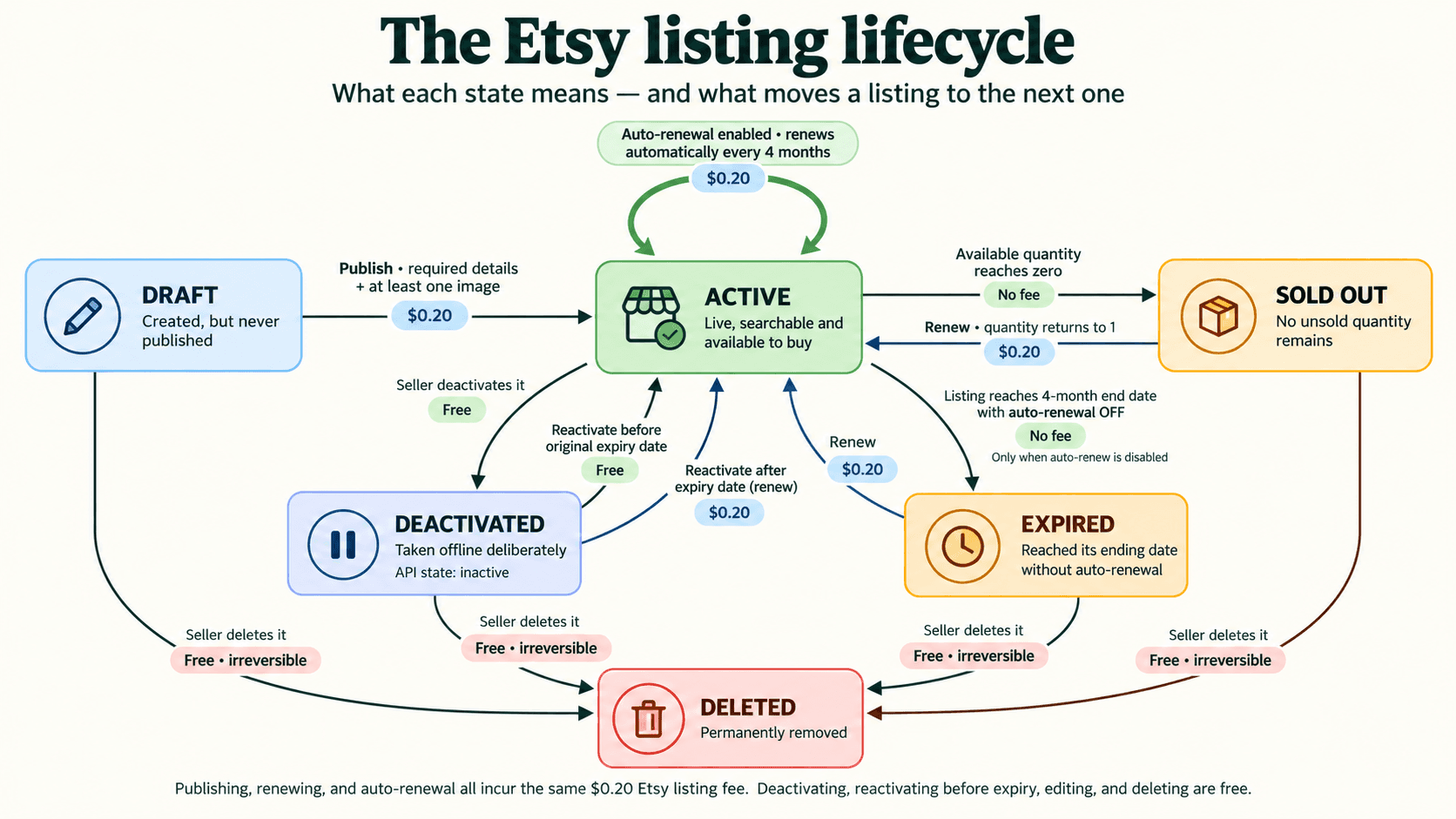
Etsy Listing States Explained: From Draft to Deleted
Ever wondered what each Etsy listing state means—or how a listing moves from one to another? Here is the quick version.
Read article

Why I Started Cayana Studios
I built Cayana after experiencing the repetitive work of running an Etsy shop—and believing that listing management could feel clearer, calmer and safer.
Read article
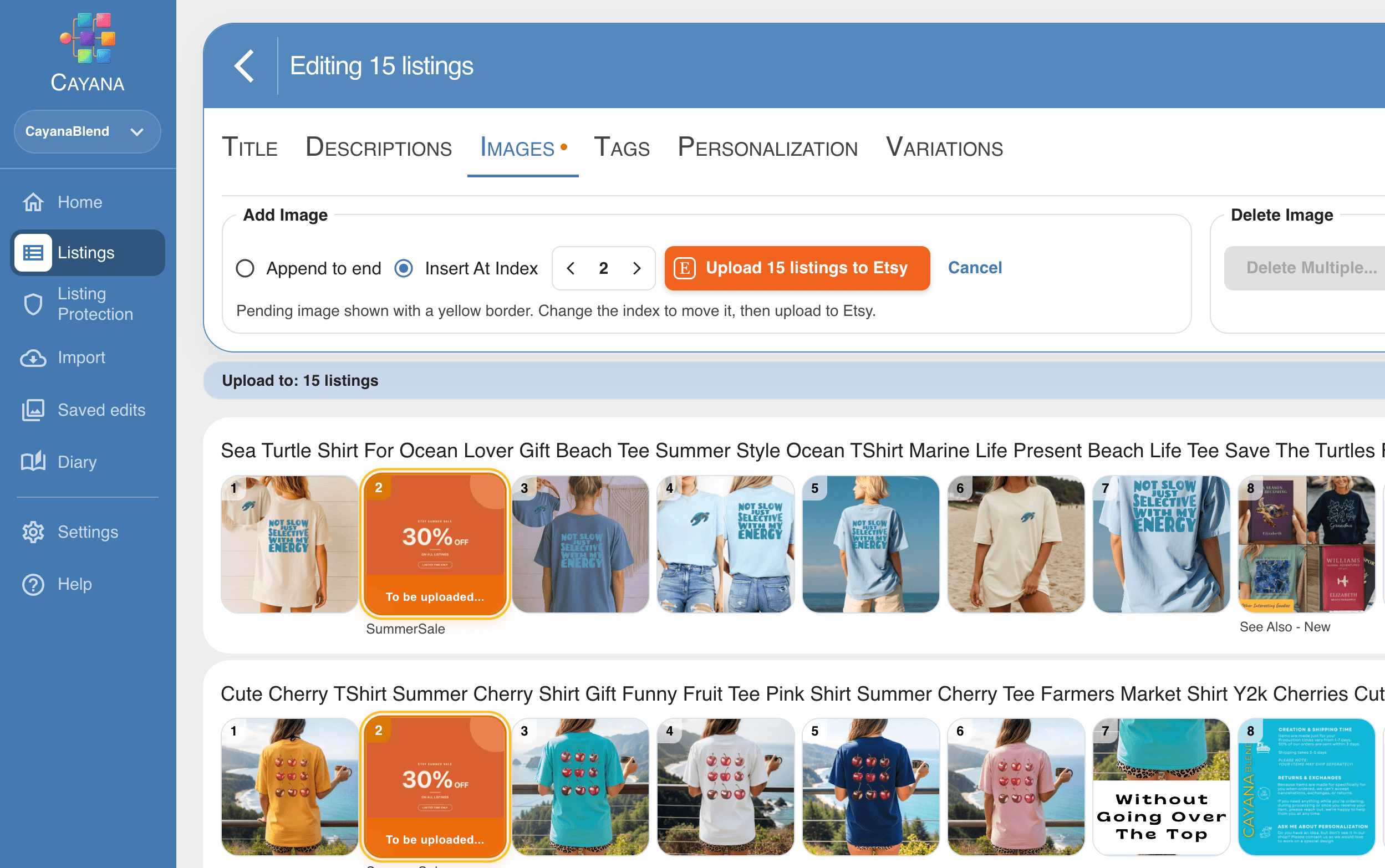
How to Bulk Edit Etsy Listing Images Without the Busywork
One promotional image. A whole collection of listings. Give your Etsy shop a seasonal refresh with Cayana’s clean, visual bulk editor.
Read article